Account Deletion
Rewire - Your companion on the path to self-improvement
How to Delete Your Account
Follow these simple steps to delete your account directly from the app:
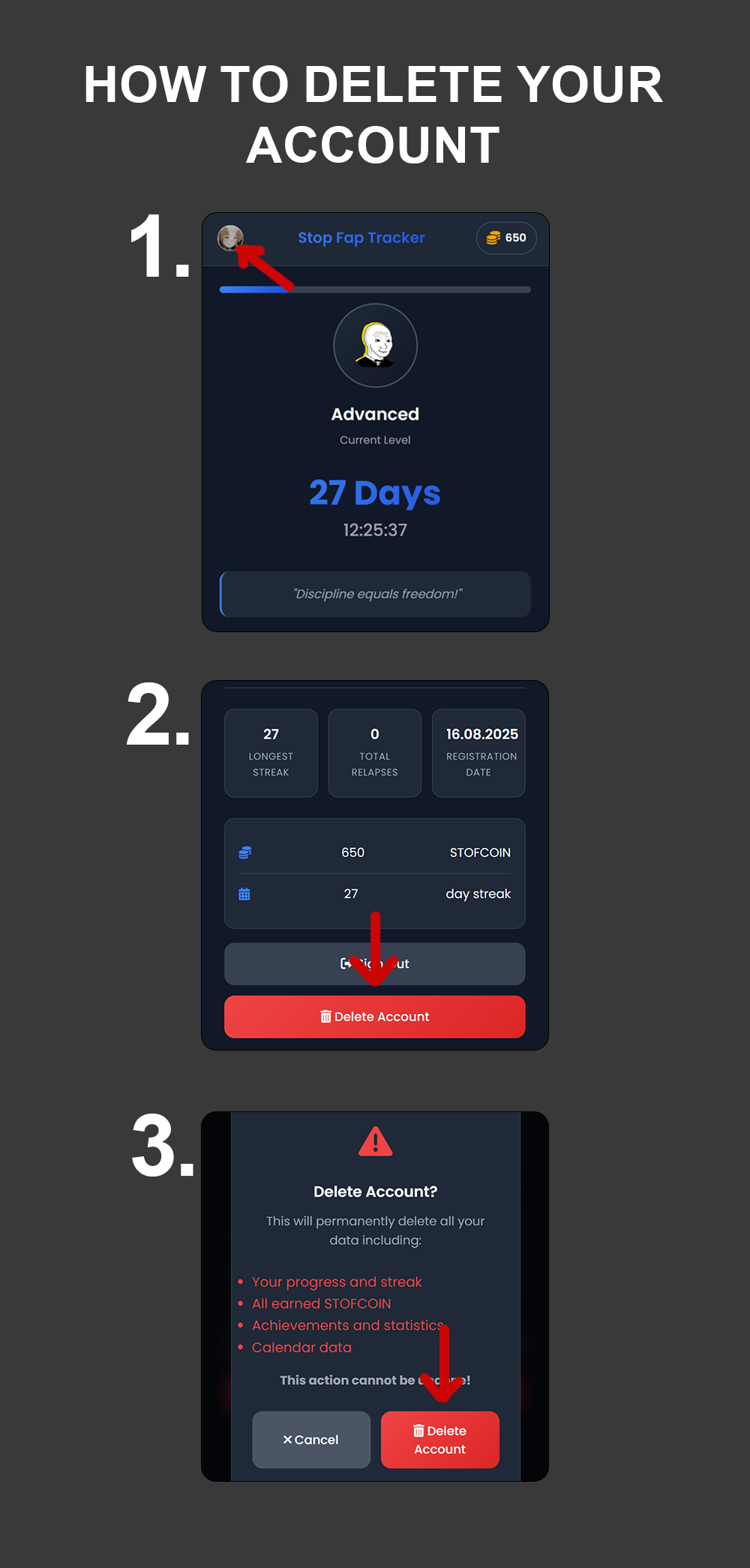
Account deletion screen in Rewire mobile app
1
Open Rewire App
Launch the Rewire application on your mobile device and go to the main screen
2
Navigate to Profile/Account
Tap on the menu button or profile icon to access your account settings
3
Find "Delete Account" Button
Scroll to find the red "Delete Account" button (usually at the bottom of account settings)
4
Confirm Deletion
Read the warning message carefully and confirm your decision to permanently delete your account